
Your Banking, Your Way—Anywhere in the World
At OAS FCU, we know your life moves across borders, generations, and time zones. That’s why we’ve created a new way to connect with us—one that adapts to you, wherever you are, whenever you need us, without needing to pick up the phone.
Meet Our Digital Tools—Designed for Real Life
Banking support is now at your fingertips—wherever you are, whenever you need us. Click the “Let’s Talk” button to choose the support channel that works best for you. Discover a new era of smarter, more connected assistance with tools designed for the way you live:

Clara – Smart Support, Anytime
Clara, your 24/7 digital assistant chatbot, is always ready to help with quick answers, banking assistance, and self-service options. She learns and improves every day to make your experience smoother and more efficient. The more you interact, the smarter she becomes—bringing you faster, more intuitive help every day.
Tip: Clara works best when you ask her questions or write full sentences—just chat with her as you would with any helpful team member.
Live Chat – Quick Answers from Your Computer or Phone
When Clara can’t help, connect instantly with a representative from your computer or mobile device. No unnecessary calls, no menus and no long wait times—just quick, personalized help plus on-screen assistance when needed.


OnScreen Voice – No Dialing, No Hassle
Talk directly through your browser or mobile device—no phone numbers, no roaming fees. Enjoy clear, direct conversation and on-screen support if needed. Prefer a callback? Leave your number and we’ll call you.
Phone Callback – Prefer a Call?
If you’d rather speak with us by phone, simply leave your number and we’ll call you back as soon as possible. Support is just a click away, with no need to dial or wait on hold.

Also, two additional features for even more interactive and effortless support. Once you’re connected with a representative, your session can be upgraded to offer even more personalized assistance:
Call Visualizer – Real-Time On-Screen Guidance (CoBrowsing)
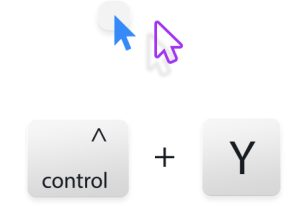
Need help navigating your account or completing a task? Sometimes you need to see it to understand it. With Call Visualizer, securely share your screen so our team can guide you step by step—no downloads required. Just press Ctrl+Y during your call and provide the 5-digit code, or click the CoBrowse Code link in the main menu or footer. Soon this option will also be available in your Online Banking.

Video Chat – A More Personal Experience
When chat isn’t enough or you want a more human connection, your representative can upgrade your session to secure video chat—face-to-face help with the option to keep your video off if you prefer.
Why Choose OAS FCU’s Global Access Branch and Its Tools?
- Global Access: Connect with us from anywhere in the world.
- Flexible Communication: Chat, talk, or video—choose what works for you.
- Personalized Experience: Every conversation is tailored to your needs.
- Always Available: Support when you need it—day or night, with our representatives or with Clara ready to assist.
- No Extra Charges: No additional fees* from OAS FCU or for international calls when you are away.
How It Works
- Click the “Let’s Talk” button on our website—and soon from Online Banking or our mobile app.
- Choose the support option that works best for you.
- Get personalized help—your way, right away.
Ready to Experience Smarter Support?
Just look for the “Let’s Talk” bubble and discover the future of banking assistance—personalized, global, and always just a click away.

*OAS FCU does not charge you for using these support tools. Data or internet usage rates may apply depending on your provider.